
ChatGPT and Claude can now read your Xero.
Not in some far-off future. Right now. Xero has launched an official plugin for ChatGPT and a connector for Claude, so you can ask “What’s my cash position?” or “Who owes me money?” and get an answer pulled from your live Xero file (Xero).
So the question isn’t can you. It’s should you, and what should you check first.
Can ChatGPT or Claude read your Xero? The short answer
Yes, if you check four things first. Xero’s official connections for ChatGPT and Claude are read-only, so they can see your figures but can’t change them. Before you connect either one, know what it can see, who else can see your chats, whether your books are accurate, and how to switch it off.
If you’re curious, and a little uneasy, you’re not alone
I totally get this. You’re busy. You’ve got jobs on, staff to look after, quotes to send and a BAS that always seems to arrive sooner than you’d like. A tool that can answer money questions in plain English sounds like exactly the help you’ve been waiting for.
And at the same time, there’s a little voice saying, “Hang on. That’s all my business information. Who else gets to see it? And how safe is it?”
Both of those feelings are completely reasonable. I’m not anti-AI. I love a good shortcut as much as anyone. But in my 40 years in financial services, I’ve learned that the most expensive decisions are the ones made quickly because something looked easy.
By the end of this post, you’ll have a simple four-question check you can run before you connect ChatGPT, Claude or any AI tool to your accounting software.
1. What can it actually see?
Both official connections are read-only. OpenAI lists the Xero plugin for ChatGPT as read-only (OpenAI). Xero says its Claude connector is read-only, follows your Xero permissions, and that Claude can’t create, edit, approve, reconcile or pay anything in Xero (Xero). That’s a good start.
But read-only is about changing, not seeing. A read-only connection can still look at your profit and loss, your invoices, your bills and your customer list. Xero notes that Claude reads uncoded transactions and draft invoices too.
There’s another detail worth knowing. The connection works through the Xero login of the person who sets it up, so their access is what the AI tool gets.
Check this first: Who in your business has permission to connect apps to Xero? If it’s more people than you realised, that’s worth a conversation.
What to look for: Make connecting any AI tool a deliberate owner decision, not something a team member does in passing because it looked handy.
2. Who else can see it?
Here’s the part most people don’t think about. Once Xero data shows up in an answer, it’s part of that conversation. So the settings in your ChatGPT or Claude account matter too.
If you use ChatGPT
Training. On personal ChatGPT plans (Free, Plus and Pro), there’s a setting called “Improve the model for everyone”, and it’s switched on by default. You can turn it off under Settings → Data controls (OpenAI Help). OpenAI says Business and Enterprise workspaces aren’t used for training by default.
People, location and deletion. OpenAI says a limited number of authorised staff and service providers can access content, for reasons such as investigating abuse, giving support you’ve asked for or legal matters. On personal plans, content is stored in the US and elsewhere. When you delete a chat, OpenAI says it’s removed from its systems within 30 days, unless it has to keep it for legal or security reasons.
If you use Claude
Training. Xero says data from its Claude connector isn’t used to train Anthropic’s models, and that your Claude plan and settings control how your conversations are used (Xero). On personal Claude plans (Free, Pro and Max), you choose whether your chats help improve Claude, and you can change that any time under Settings → Privacy (Anthropic).
Keeping and deleting. Anthropic says if you allow your chats to be used for training, they can be kept for up to five years. If you don’t, the standard is 30 days. Deleted chats are removed from your history straight away and from its back-end systems within 30 days (Anthropic). Team and Enterprise plans sit under Anthropic’s commercial terms, which these consumer settings don’t apply to (Anthropic).
Check this first: Are you, or anyone on your team, using a personal ChatGPT or Claude account for business questions? Is anyone putting customer names, staff pay or other personal details into it?
What to look for: Open your data or privacy settings and decide, on purpose, how you want the training setting. Delete chats you don’t need. And keep personal information out. Australia’s privacy regulator, the OAIC, recommends that businesses don’t enter personal information, especially sensitive information, into publicly available AI tools (OAIC).
3. Are your books telling the right story?
This is the bit that changes everything.
AI answers from whatever is sitting in your file. It doesn’t know what should be there. If the file’s messy, you’ll get a confident, well-written answer that’s wrong.
So what does this actually look like?
Say you ask, “Which job made me the most money last quarter?” Your bathroom renovation brought in $38,000. The real costs were $30,000, which leaves $8,000 profit.
But $12,000 of materials for that job was coded to “General Expenses” instead of the job. Now the bathroom reno looks like it cost $18,000 and made $20,000. The answer comes back polished and wrong by $12,000. And you might price your next three bathrooms on it.
That’s what I mean by AI-guessing. The tool isn’t broken. It’s working perfectly from the wrong information. Xero says it too: the value of AI depends on current, clean books, kept by accountants and bookkeepers.
Check this first: Run your profit and loss for last quarter. Does it look like the business you know?
What to look for: Big balances in “General Expenses” or “Sundry”, jobs with no materials against them, and a bank reconciliation that’s weeks behind. Those are the first things to tidy up with your bookkeeper before you ask any tool to analyse your numbers.
Related reading: What Numbers Should A Small Business Owner Track? and Spring Clean Your Numbers (Not Just Your Garage)
4. Is it the real one, and can you switch it off?
“Rogue bots” sounds like a movie, but the risk is ordinary.
Australia’s cyber security centre (ACSC) warns that AI systems can be tricked by prompt injection: malicious instructions disguised as legitimate requests, sometimes hidden in something the AI reads, like a web page, an email or a file (ACSC). The international security project OWASP lists prompt injection as the number one risk for AI applications (OWASP).
The other risk is old-fashioned: fake apps and phishing emails that look like Xero and ask you to “connect” or log in.
Check this first: Did you connect Xero from inside ChatGPT or Claude yourself (or from Xero)? Or did you click a link someone sent you?
- Only connect apps you went looking for yourself, never from an emailed link. Xero says to forward suspicious “Xero” emails to phishing@xero.com without clicking anything (Xero).
- Turn on multi-factor authentication (two-step login) in Xero and in your AI account wherever it’s offered.
- Never share logins. A shared login means you can’t tell who did what.
- In ChatGPT’s app permissions, choose an option that asks before taking actions. OpenAI itself labels “Allow all actions” as carrying elevated risk.
And always know your exit. In Xero, connected apps live under Settings → Connected Apps, where you can disconnect them. Xero says you can disconnect Claude in Claude or in Xero. In ChatGPT, you’ll find connected apps under Settings → Plugins (or Apps, depending on your version). Menus change from time to time, so check on your own screen. Pop a reminder in your calendar to review your Connected Apps list every quarter, and remove anything you don’t recognise.
Your takeaway
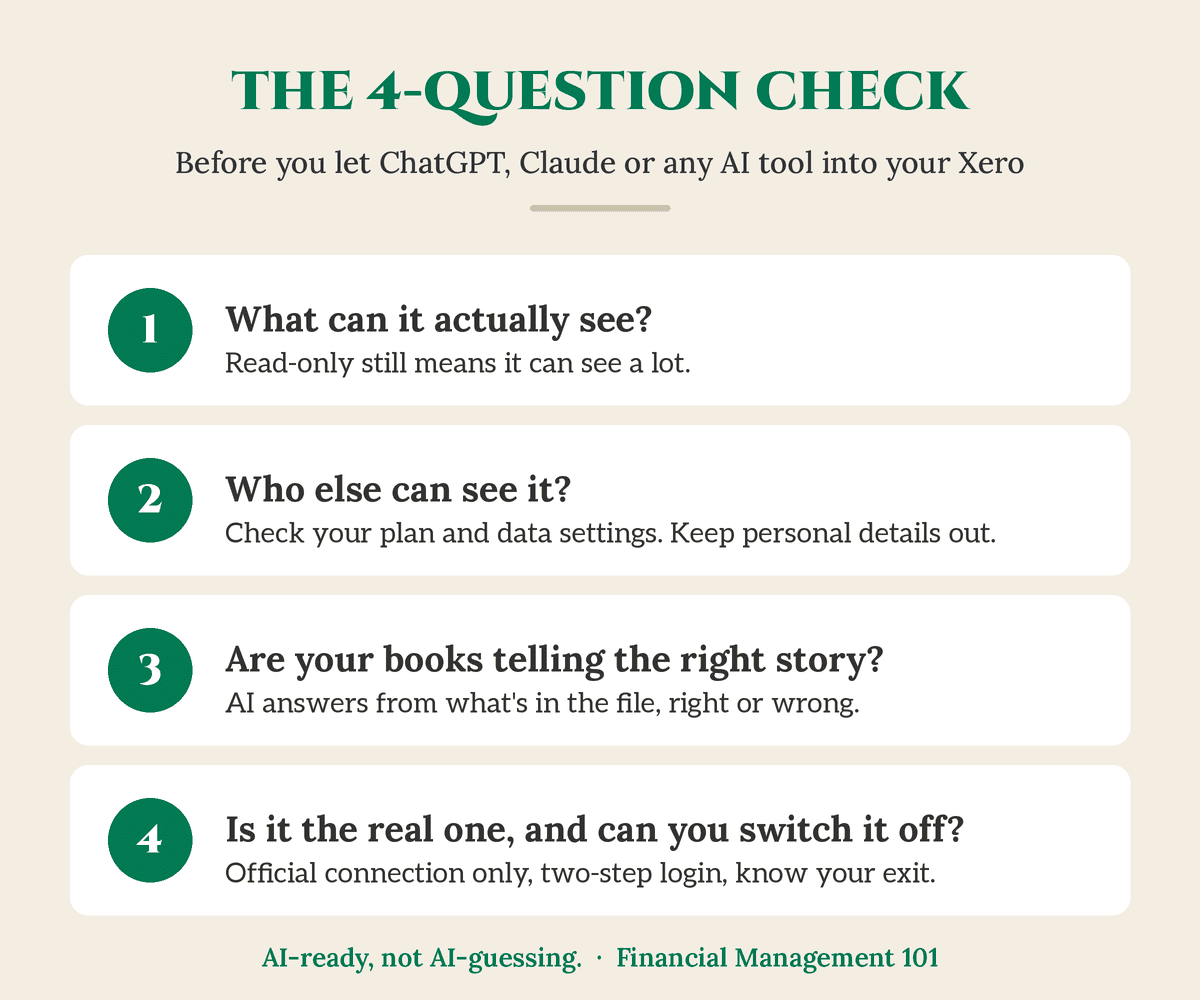
Before you let ChatGPT, Claude or any AI tool into your Xero, run the four-question check:
- What can it see? Read-only still means it can see a lot.
- Who else can see it? Check your data or privacy settings, delete what you don’t need, and keep personal details out.
- Are your books telling the right story? AI is only as good as the numbers underneath it.
- Is it the real one, and can you switch it off? Official connection only, two-step login on, no shared logins, and review Connected Apps every quarter.
None of this is about saying no to AI. It’s about saying yes on purpose.
And here’s something worth sitting with. You don’t have to paste your numbers into a chatbot to understand them. That’s why I created The CEO Dashboard: your own numbers, in your own dashboard, set up with you around the decisions you actually make, like “Can I afford it?” Then if you do bring AI in later, it has something solid to stand on. (Curious how clear your numbers are now? Try The Dashboard Test.)
AI-ready, not AI-guessing.
Your accountant makes sure the numbers are right. Your bookkeeper makes sure the records are right. My job is to help you know what to do with them.
Not sure if your numbers are ready?
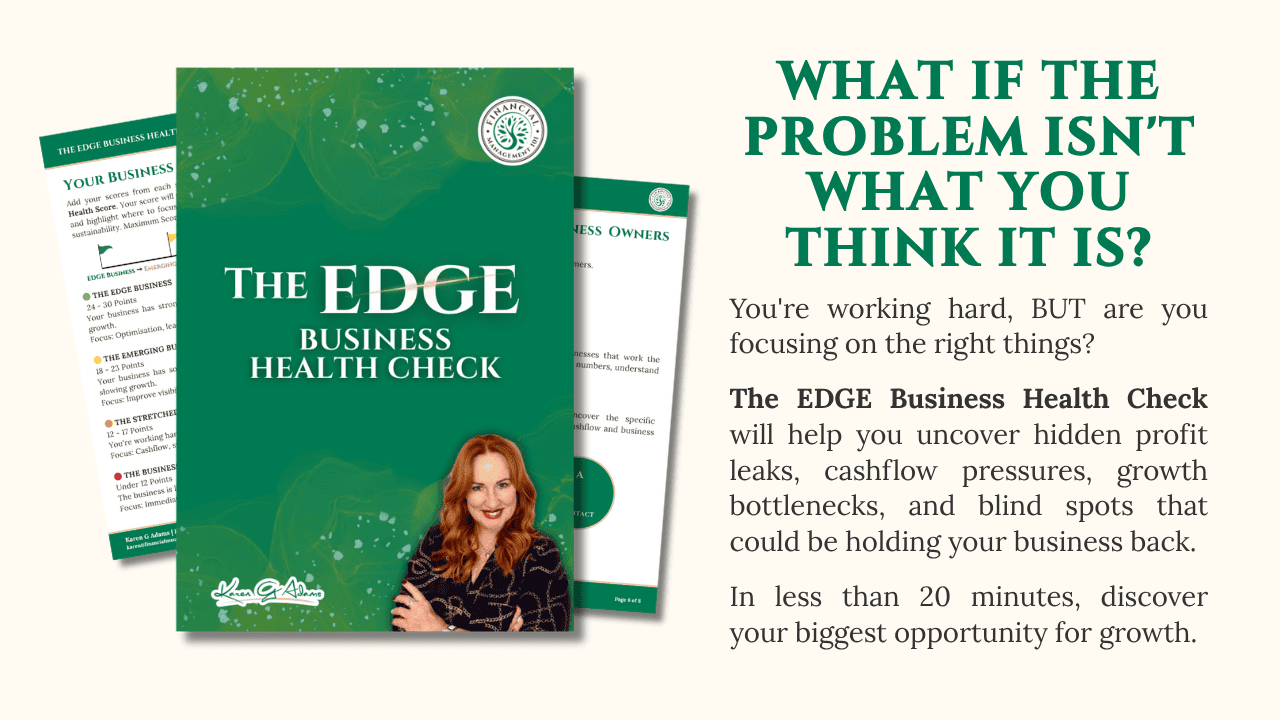
Start with The EDGE Business Health Check. It’s a $47 workbook that takes about 20 minutes. Grab your last 12 months’ profit and loss report (and a cuppa), and you’ll:
- Score 30 quick statements across five areas: Profit & Pricing, Cashflow, CEO Visibility, Systems & Freedom, and Growth. Together they give you your EDGE Score and show you the one area to focus on first.
- Use the Profit Leak Calculator to put a dollar figure on the profit hiding in your business.
- Walk away with a 7-Day Reset you can start on Monday.
Two of the CEO Visibility statements are “I look at my numbers every week, not just at tax time” and “My books are reconciled and up to date within the last fortnight”. Good habits on their own, and exactly what makes your numbers AI-ready.
Rather talk it through first? Get in touch and book a call with me.
Want a simple AI checklist too? The Australian Cyber Security Centre’s guide, Artificial intelligence for small business, has one.
Frequently asked questions
Can ChatGPT or Claude change anything in my Xero?
Not through Xero’s official connections. OpenAI lists the Xero plugin for ChatGPT as read-only, and Xero says Claude can’t create, edit, approve, reconcile or pay in Xero. They can still see a lot, so treat the connection as a decision, not a default.
Is my Xero data used to train ChatGPT or Claude?
Xero says data from its Claude connector isn’t used to train Anthropic’s models, and OpenAI says data retrieved through the Xero plugin is used only to answer your questions. Your conversations are governed by your own account settings, so check “Improve the model for everyone” in ChatGPT or the privacy settings in Claude.
Who can see my numbers once they’re in a chat?
Both companies say a limited number of authorised people can access content in certain cases, such as abuse investigations or support you’ve asked for. That’s why I suggest keeping customer names, staff pay and other personal details out of any public AI tool.
How do I disconnect ChatGPT or Claude from Xero?
In Xero, go to Settings → Connected Apps and disconnect the app. Xero says you can also disconnect Claude from inside Claude, and ChatGPT lists connected apps in its settings. Menus change, so check on your own screen.
Do my books need to be up to date before I use AI with Xero?
Yes. AI answers from what’s in your file, right or wrong. Xero itself says the value of AI depends on current, clean books. Reconcile your bank and check your coding with your bookkeeper first.
This is the first in my six-part series, Should you let ChatGPT or Claude into your Xero? Next up: who else can see your numbers once they’re in an AI chat, and what you can do about it.
You’ve built something real. Financial confidence starts with clarity.
Karen G. Adams
Small Business Performance Strategist, Financial Management 101
This article is general education only. It isn’t financial, tax, legal, privacy-compliance or IT security advice, and it doesn’t take your personal circumstances into account. If your business has turnover above $3 million or provides health services, the Privacy Act may apply to you, so check with the OAIC or your adviser. Software features, settings and menus change, so check details against your own Xero, ChatGPT and Claude accounts and talk to your accountant, bookkeeper or IT adviser before making changes. Xero, ChatGPT and Claude are trademarks of their respective owners. Financial Management 101 isn’t affiliated with or endorsed by Xero, OpenAI or Anthropic.